



Not everyone responsible for VPN rollout needs VPN access themselves. If your job is creating, maintaining and rolling out VPN access in your company but you never use VPN Tracker to access your company's network yourself, our new Team Rollout Edition is designed specifically for you.
- Why We Built Team Rollout
- What Is Team Rollout?
- When Is a Team Rollout Licence Useful?
- Is Team Rollout Right for You?
- VPN Tracker Team Rollout FAQs
- Ready to Get Started?
Why We Built Team Rollout
In many organisations, the people setting up VPN access are not actually the ones connecting remotely. IT administrators or consultants often need to create and distribute VPN connections and update settings but don't require ongoing VPN access themselves.
We noticed this was becoming a recurring theme for our users, with many asking us "which VPN Tracker edition do I need if I don't want to connect myself?"
Until now, these users still needed a regular VPN Tracker licence to edit and maintain connections. Team Rollout was created for this exact workflow.
What is Team Rollout?
Team Rollout is a new VPN Tracker edition for people who manage connections for others but don't need to connect themselves.
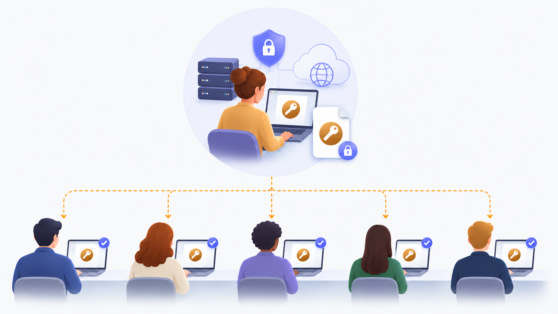
It includes everything required to create, edit, test and distribute Team Connections for your team, for administrators who don't require ongoing VPN access themselves:
✔ Create, edit and update Team Connections
✔ Securely share connections within one team
✔ Test connections before rollout (up to 3 minutes per connection)
When is a Team Rollout Licence Useful?
If you are responsible for preparing and maintaining VPN access for your team but don't actually use VPN Tracker to connect yourself, Team Rollout could be a great fit for you.
Team Rollout isn't a replacement for the VPN Tracker editions that include VPN connectivity.
It is designed specifically for people who manage Team Connections but never connect themselves.
Common workflows include:
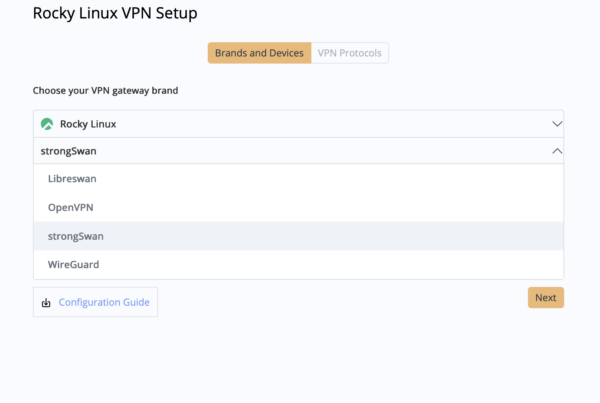
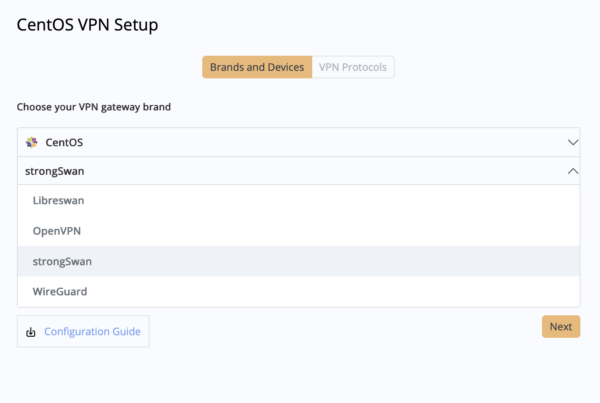
WireGuard Rollout
Create, test and distribute individual WireGuard Team connections for your users.
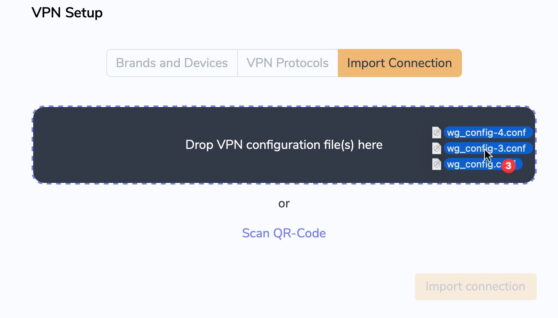
Configure and share multiple WireGuard connections without connecting
VPN Rollout for Employees
Prepare VPN access for new remote or hybrid employees so they are ready to connect from day one.
Maintaining VPN Connections
Update your team's connections whenever gateways, certificates or settings change.
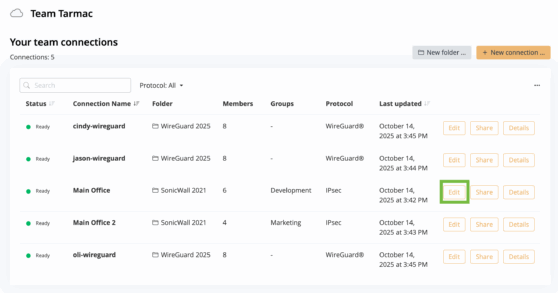
Edit Team connections
Deploying VPN Tracker for a Single Customer Team
Configure and hand over a customer's Team Connections without needing to use the VPN yourself.
Is Team Rollout Right for You?
Team Rollout is designed for people who manage Team Connections but don't need to establish VPN connections themselves. Here's a quick guide:
| Your Role | Team Rollout? |
|---|---|
| I manage Team Connections but don't connect to VPNs myself. | ✅ Yes |
| I use VPN Tracker to connect to VPNs. | ❌ No |
| I both manage Team Connections and connect to VPNs. | ❌ No |
| I manage multiple independent VPN Tracker Teams. | ❌ No |
Still looking for the right edition for your role? Compare all VPN Tracker Team editions.
VPN Tracker Team Rollout - FAQs
Can I connect to VPNs with Team Rollout?
No. Team Rollout is designed for managing Team Connections, not connecting to VPN. If you also need to connect to your company's VPN, you'll need a different VPN Tracker edition.
Do my colleagues need Team Rollout too?
No. Team Rollout is intended for the person responsible for creating and maintaining Team Connections. Team members who use VPN Tracker to connect remotely should continue using their current VPN Tracker licence.
Can I switch an existing user to Team Rollout?
Yes. If a user's responsibilities have changed and they no longer use VPN Tracker to establish VPN connections but only manage Team Connections, they can switch to Team Rollout.
Do I need a Team Rollout licence for every administrator?
Yes. Anyone who manages Team Connections without establishing VPN connections themselves will need their own Team Rollout licence.
Can I use Team Rollout to manage multiple VPN Tracker Teams?
No. Team Rollout is assigned to a single VPN Tracker Team. If you are a consultant managing multiple independent teams, Team Rollout isn't intended for that workflow.
Can I create and edit Team Connections with Team Rollout?
Yes. Team Rollout includes the tools you need for successful VPN rollout- Create, edit, organise and securely distribute Team Connections for your team.
Can I test a VPN connection with Team Rollout?
Yes. Team Rollout lets you establish a VPN connection for testing purposes, so you can verify that a newly created or updated Team Connection is working correctly before sharing it with your team. Test connections are limited to 3 minutes and are intended solely for validation, not regular VPN use.
How much does Team Rollout cost?
You can view the latest Team Rollout pricing on the VPN Tracker Team Store, where you'll also find a comparison of all available editions.
Can you help us plan or deploy our VPN rollout?
Yes. If you're setting up VPN Tracker for the first time, planning a WireGuard rollout or migrating an existing VPN deployment, our VPN experts can help.
Our VPN Consulting service includes deployment planning, VPN configuration, rollout best practices and troubleshooting to help your team get up and running quickly.
Ready to Get Started?
If Team Rollout sounds like the right fit for your workflow, you can get started today. If you're still unsure which VPN Tracker edition is right for your team or would like help planning your rollout, we're happy to help.
Questions? Contact our team for licensing advice or to discuss your VPN rollout.