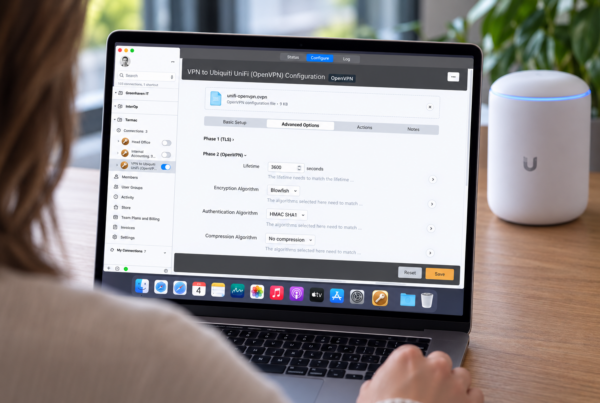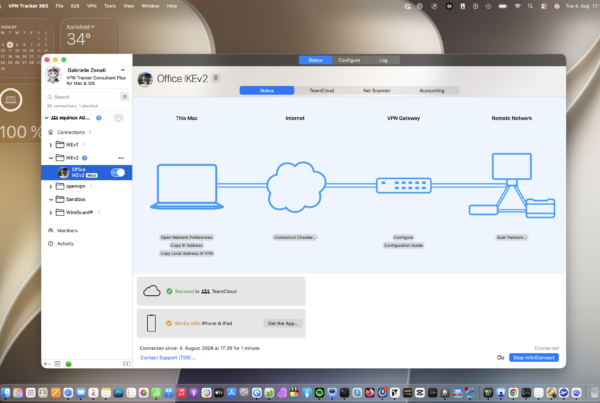




OpenVPN CloudConnexa support in VPN Tracker 26.5 makes it easier to connect to OpenVPN CloudConnexa and OpenVPN Access Server setups on Mac.
If your organization uses CloudConnexa, you can now import your OpenVPN profile into VPN Tracker and connect using new OpenVPN Connect client compatibility options. VPN Tracker 26.5 also improves OpenVPN web-based authentication, including SSO login flows.
In this article
What's New
VPN Tracker 26.5 introduces improved compatibility for OpenVPN connections, including new support for OpenVPN CloudConnexa and OpenVPN Access Server-style configurations.
OpenVPN connections can now use an OpenVPN Connect Client compatibility mode. This helps VPN Tracker work with services that expect OpenVPN Connect-style client behavior, including CloudConnexa.
VPN Tracker also now supports Push peer info to server for OpenVPN connections. This allows required client and device information to be sent automatically when connecting.
The OpenVPN configuration importer has also been improved and can now detect many CloudConnexa connection profiles during import.
What is CloudConnexa?
CloudConnexa is OpenVPN's cloud-delivered business VPN service. It provides secure remote access to private networks, applications, users, and devices without requiring teams to run and maintain their own traditional VPN server infrastructure.
OpenVPN CloudConnexa support is now available in VPN Tracker
Instead of connecting directly to a self-hosted VPN server, users connect through CloudConnexa's cloud network using a CloudConnexa connection profile provided by their organization. You can learn more in OpenVPN's CloudConnexa overview.
Benefits of Using VPN Tracker with CloudConnexa
With VPN Tracker, your CloudConnexa connection fits right into your existing VPN workflow on Mac. Instead of switching between different VPN apps, you can manage CloudConnexa alongside your other business VPN connections in one place.
Benefits include:
- One app for CloudConnexa, OpenVPN, IPsec, WireGuard, AnyConnect, and more
- Easily import and share CloudConnexa OpenVPN profiles
- Support for OpenVPN Connect client compatibility mode
- Secure storage and sync for VPN connections with Personal Safe
- Secure team management and connection sharing with VPN Tracker for Teams
- A familiar Mac experience with VPN Tracker’s connection status, troubleshooting, and account features
How Can I Set Up OpenVPN CloudConnexa Support in VPN Tracker?
To connect to CloudConnexa in VPN Tracker, you need:
- VPN Tracker 26.5 or later
- Your CloudConnexa OpenVPN connection profile
- Any required login details, SSO, or two-factor authentication configured by your organization
VPN Tracker 26.5 also includes improved web-based authentication support, so CloudConnexa setups that require browser-based sign-in, SSO, or additional authentication steps can be completed during connection.
Set up OpenVPN CloudConnexa Support for a new connection
- Import your CloudConnexa OpenVPN configuration profile into VPN Tracker
- Open the connection settings and go to Advanced > Interoperability
- Check that OpenVPN Connect Client compatibility mode is enabled
- Enable Send peer info to server
- Save the connection
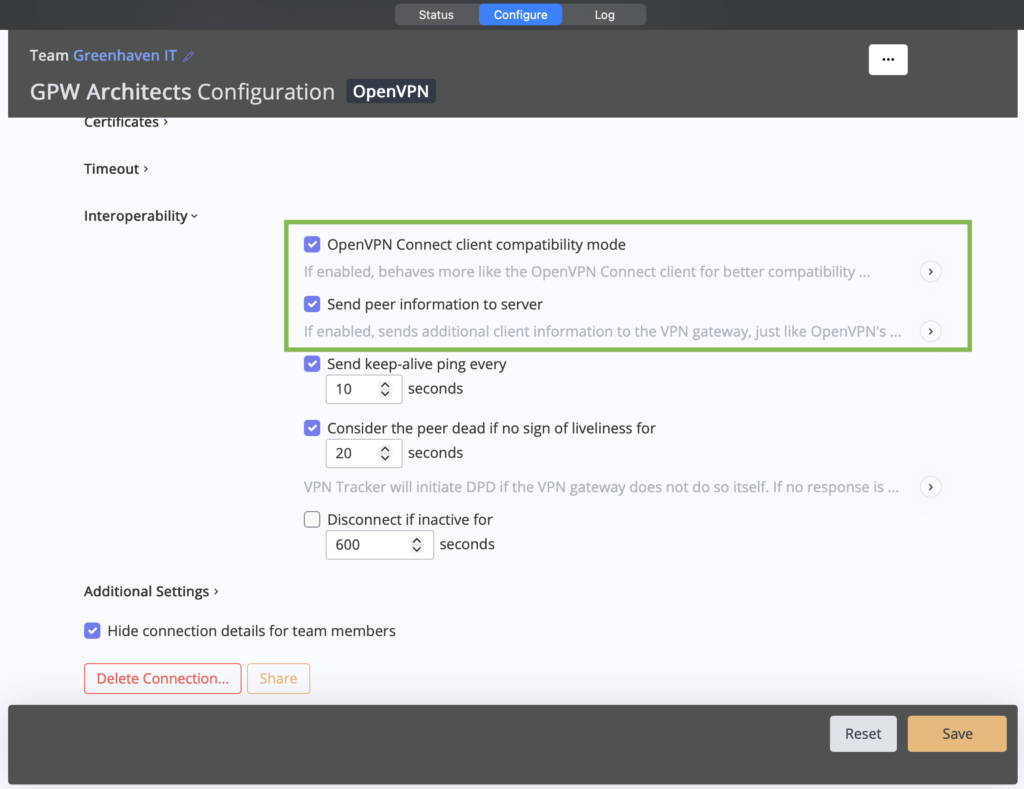
OpenVPN CloudConnexa settings in VPN Tracker
You should now be able to connect as usual and complete any browser-based login, SSO, or two-factor authentication prompts if required.
Update an existing connection
If you already imported your CloudConnexa profile in an older VPN Tracker version, update to VPN Tracker 26.5 first.
Then open the connection settings and go to Advanced > Interoperability. Make sure these options are enabled:
- OpenVPN Connect Client compatibility mode
- Push peer info to server
If the connection still does not work, delete the existing connection and import the CloudConnexa profile again. This lets VPN Tracker re-detect the required settings using the improved importer in version 26.5.
Also New in VPN Tracker 26.5
VPN Tracker 26.5 also includes new device profiles and several reliability and performance improvements:
- New: OpenVPN and WireGuard profiles for GL.iNet routers
- New: OpenVPN, IKEv2 and WireGuard profiles for MikroTik routers
- Improved Personal Safe sorting so connections and folders keep their intended order more reliably across devices
- Signed-in users now stay logged in if the equinux account service is temporarily unavailable
- Improved stability when processing malformed network route messages
- More reliable reconnect behavior after route changes shortly before system sleep
- Duplicate IKEv1 notifications no longer cause connection failures
- Improved web-based authentication, including SSO logins for AnyConnect and OpenVPN
- Reduced keychain write operations that could briefly make the app unresponsive
- Reduced memory peaks during launch and sync operations
- Continued improvements to overall stability and reliability
How to update
This is a free update for all existing VPN Tracker users.For Mac users: To update to VPN Tracker version 26.5, go to VPN Tracker > Check for updates:
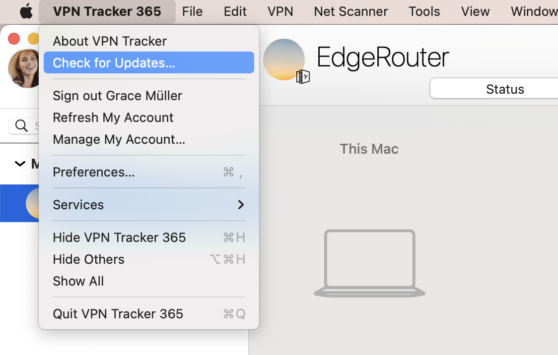
Alternatively, you can download the latest version here.
For iOS users: The latest version will be rolling out over the next few days. Get it from the App Store.